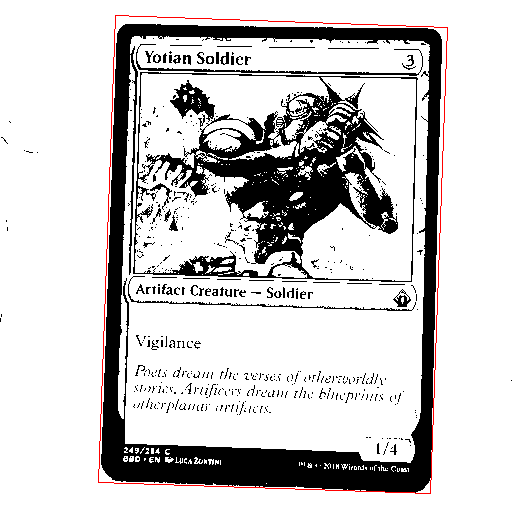
One of the potential refinements to the OCR process is to adjust and crop the image to only display the card. This should help focus Tesseract on looking at only the text on the card, and not at any of the background elements.
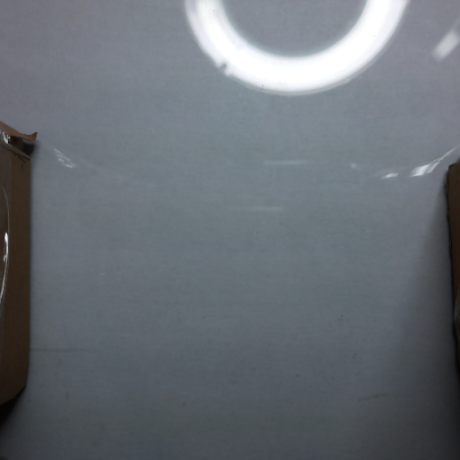
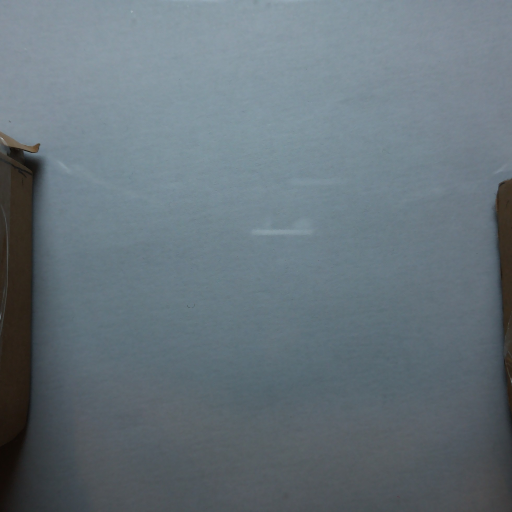
My first step towards this, kindly suggested by Chris Turton at a Chalk Connect Eastbourne event, was to take an image of the background, then immediately take an image of the card, and remove any shared pixels.
It should be noted that, for this step in the process, the image doesn’t need to be nearly as big/detailed, so it was rescaled to at most 512×512 pixels.


def subtractBackgroud(subject, background, tolerance = 0.2):
    assert len(subject) == len(background) # X
    assert len(subject[0]) == len(background[0]) # Y
    assert len(subject[0][0]) == len(background[0][0]) # Colour type

    result = subject.copy()

    for x in range(0, len(subject)):
        np.insert(result, x, [])
        for y in range(0, len(subject[x])):
            subject_col = subject[x][y].astype(int)
            background_col = background[x][y].astype(int)

            b_diff = abs(subject_col[0] - background_col[0])
            g_diff = abs(subject_col[1] - background_col[1])
            r_diff = abs(subject_col[2] - background_col[2])

            avg_diff = (b_diff + g_diff + r_diff) / 3

            if(avg_diff < 255 * tolerance):
                result[x][y] = (255, 255, 255)
            else:
                result[x][y] = (0, 0, 0)

    return result
For the given image, this has clearly left some significant artifacting. The ring light that was being used for direct illumination is clearly visible in both images and it washing out part of the card. However, even without this artifact, the card is somewhat reflective, and thus changes the light levels of the image. As much of a noob as I am at image processing/editing, I’m really not sure exactly how to fix this; a topic for future research, I’m sure. But simply repositioning the light so that it’s off-camera gave a significantly better result.
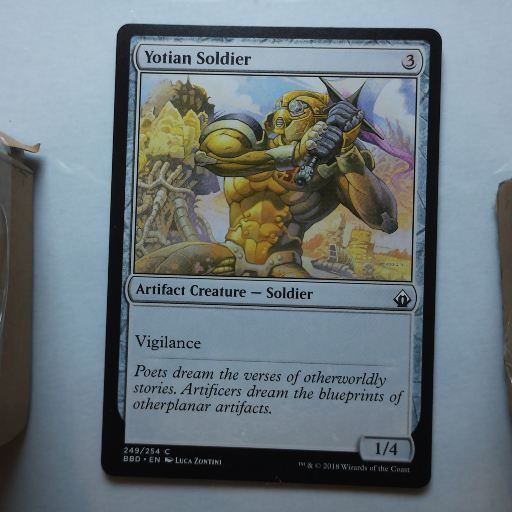
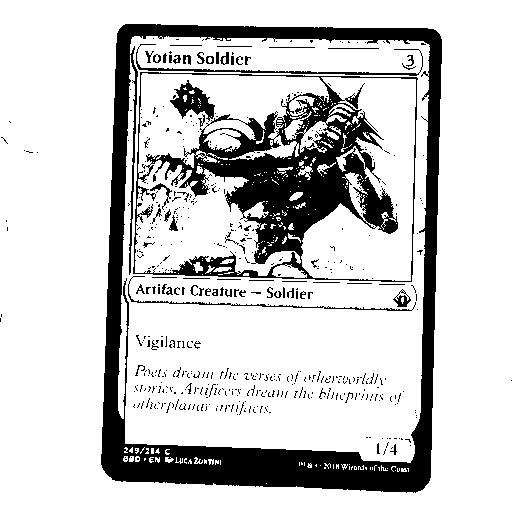
This clearly leaves us with the isolated card as the largest feature in the thresholded image. We can then draw both bounding boxes and minimum area rectangles around the features.
def identifyAllElements(subject, large_feature_tolerance = 0.97):
    subject = cv2.cvtColor(subject, cv2.COLOR_BGR2GRAY)
    contours, hierarchy = cv2.findContours(subject, 1, 2)

    features = cv2.cvtColor(subject, cv2.COLOR_GRAY2RGB)

    subj_w, subj_h, channels = features.shape
    subj_area = subj_w * subj_h

    for contour in contours:
        if(len(contour) < 4):
            continue # Ignore tiny features

        x,y,w,h = cv2.boundingRect(contour)
        min_rect = cv2.minAreaRect(contour)
        min_box = cv2.boxPoints(min_rect)
        min_box_area = maths.getBoxArea(min_box)

        if(maths.xIsWithinToleranceOfY(min_box_area, subj_area, large_feature_tolerance)):
            continue # Ignore features around the same size as the image

        cv2.rectangle(features, (x,y), (x+w, y+h), (0, 255, 0), 1)

        min_box = np.int0(min_box)

        cv2.drawContours(features, [min_box], 0, (0, 0, 255), 1)

    return features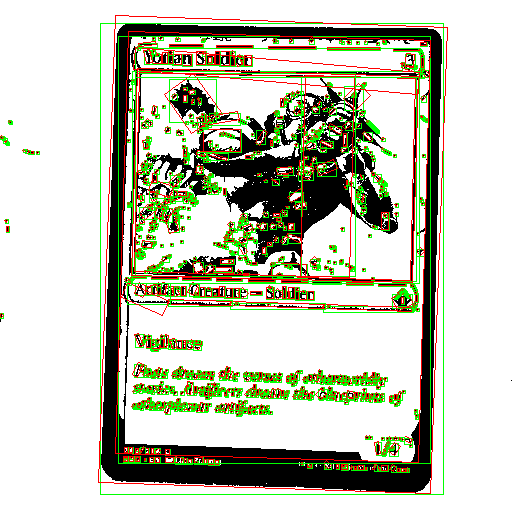
And with some further changes, we can identify and draw only the largest element that isn’t within a certain percentage of the total image size, which should be the card.
def identifyLargestElement(subject, large_feature_tolerance = 0.97):
    subject = cv2.cvtColor(subject, cv2.COLOR_BGR2GRAY)
    contours, hierarchy = cv2.findContours(subject, 1, 2)

    features = cv2.cvtColor(subject, cv2.COLOR_GRAY2RGB)

    subj_w, subj_h, channels = features.shape
    subj_area = subj_w * subj_h

    target_contour = None
    target_contour_size = 0

    for contour in contours:
        if(len(contour) < 4):
            continue # Ignore tiny features

        min_rect = cv2.minAreaRect(contour)
        min_box = cv2.boxPoints(min_rect)
        min_box_area = maths.getBoxArea(min_box)

        if(maths.xIsWithinToleranceOfY(min_box_area, subj_area, large_feature_tolerance)):
            continue # Ignore features around the same size as the image

        if target_contour_size < min_box_area:
            target_contour = contour
            target_contour_size = min_box_area

    target_min_rect = cv2.minAreaRect(target_contour)
    target_min_box = cv2.boxPoints(target_min_rect)
    target_min_box = np.int0(target_min_box)

    cv2.drawContours(features, [target_min_box], 0, (0, 0, 255), 1)

    return features